Websites that speak your customers' language. Properly.
A language switcher that swaps text with JavaScript is invisible to Google and feels foreign to readers. A real multilingual site gives every language its own URLs, its own content, its own SEO — and, for Hebrew or Arabic, a layout actually designed right-to-left.
This site is the demo: six languages, each on its own indexable URLs with correct hreflang, localized navigation and native copy — two of them, Hebrew and Arabic, are designed right-to-left from the ground up, down to the direction of the arrows. Your site can work exactly the same way.
We localize with intent, not with a translate button: keyword research per language (what Israelis type is not a translation of what Americans type), localized slugs, localized metadata, and typography that supports the script properly.
What multilingual includes
- ●Separate indexable URLs per language (/en/, /he/, /es/, /ja/, /ko/, /ar/)
- ●Bidirectional hreflang and x-default
- ●True RTL design for Hebrew and Arabic — layout, icons, forms, numbers
- ●Native keyword research and localized slugs per language
- ●Localized titles, descriptions and Open Graph
- ●Content written for the market, not machine-flipped
Why translated sites fail and localized sites work
A translation widget bolted onto an English site produces English pages wearing a costume: the URLs stay English, search engines in the target market never see a dedicated page to rank, and readers feel the seams instantly. A localized site is structurally different — every language gets its own indexable URLs, its own researched keywords, metadata written in that language, and content that reads like it started there.
The difference is measurable in search: Google ranks pages, not toggles. If your Hebrew or Spanish market matters enough to serve, it matters enough to give it real pages.
RTL is a design system, not a CSS property
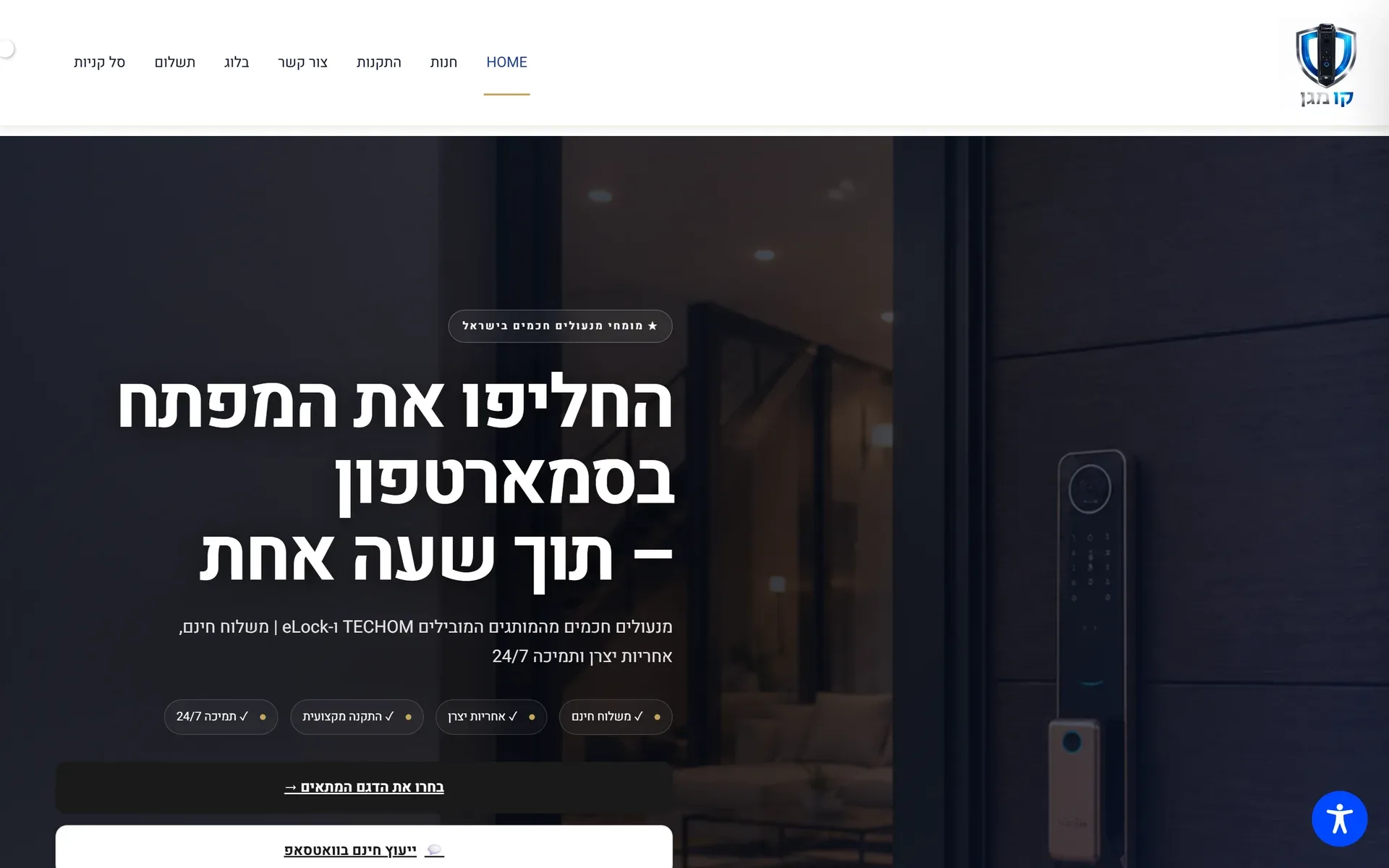
Hebrew and Arabic layouts mirror the entire reading experience: navigation order, icon direction, form alignment, which side a menu opens from. Numbers, prices and phone numbers must stay left-to-right inside right-to-left sentences or they garble. Typography changes — letter-spacing rules that help Latin text hurt Hebrew. We design RTL natively rather than flipping an LTR layout and hoping: the Hebrew version of this site and the Kav Magen store in our portfolio are both built that way, and you can inspect either one right now.
- ●Separate indexable URLs per language with native-language slugs
- ●Bidirectional hreflang so each market receives its own version
- ●True RTL layout: mirrored navigation, corrected icons, isolated numbers
- ●Keyword research done natively per market — never translated keywords
- ●Localized titles, descriptions and social previews per language
The bilingual US market case
For US businesses serving Spanish-speaking customers, a bilingual English–Spanish site is often the highest-leverage version of this service: the market is large, competitors' Spanish pages are frequently machine-translated or absent, and correct hreflang lets each language compete separately in search. We write Spanish natively — not through a translation API — which your Spanish-speaking customers notice in the first sentence.
Reach every market you serve.
Start my websiteMultilingual in production
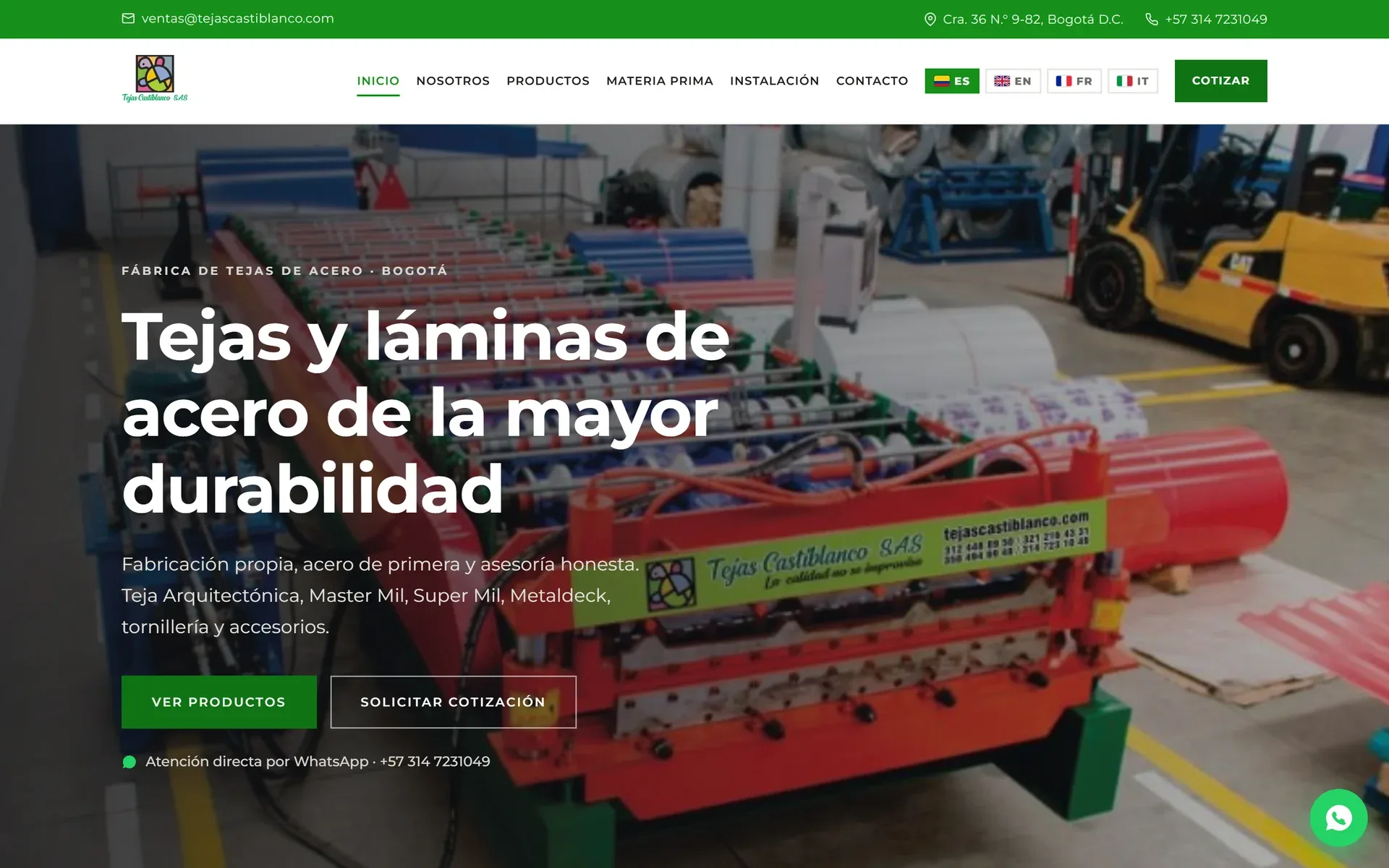
Kav Magen runs entirely in Hebrew RTL with an Israeli store experience. Tejas Castiblanco serves Spanish with additional language versions. And this site — the one you're reading — runs in seven, two of them right-to-left.
Does every language need its own pages?
Yes — separate URLs per language is the approach Google documents and the one that ranks. We generate and maintain them from one structure, so it stays manageable.
Is Hebrew really different from just translating?
Completely. Hebrew is right-to-left: navigation, layout, icons and forms must be designed mirrored, numbers and phone numbers stay left-to-right, and typography changes. We design RTL natively — look at the Hebrew version of this site.
Which languages can you build in?
We write natively in English, Hebrew and Spanish. For additional languages we build the same correct architecture and work with native reviewers.
Does a multilingual site cost double per language?
No — the architecture is shared, so additional languages cost the localization work (native content, metadata, review), not a second website. The structural investment happens once.
Can you add a language to my existing site?
Usually yes, if the site's architecture permits separate URLs per language. If it only supports a translation widget, we will tell you honestly what the options and trade-offs are before any work starts.
Related services
Reach every market you serve.
Tell us your languages and markets — we'll map the structure.